Now that your client is registered, you can proceed to make your first payment. The starter kit includes two example payment flows:
  1. Single payment – a one-time transaction.
  2. Multiple payments – several transactions with varying amounts.
This guide will walk you through the single payment example step by step. To initiate a single payment, you must first create a consent request. Send a POST request to the following endpoint: /consent-create/single-payment ConsentCreate specifying the desired payment_amount. Behind the scenes, this request triggers a Pushed Authorization Request (PAR) (of type AEServiceInitiationAuthorizationDetailConsent) to the Al Tareq Sandbox Model Bank to create the consent. If your Consent request is accepted, you’ll receive a response similar to the one below:
{
  "redirect": "https://auth1.altareq1.sandbox.apihub.openfinance.ae/auth?client_id=https://rp.sandbox.directory.openfinance.ae/openid_relying_party/7039a1c5-67e4-4452-9d51-9cae79df8c4a&response_type=code&scope=openid&request_uri=urn:ietf:params:oauth:request_uri:0b7da623-848a-49dc-9630-a0d89078c256",
  "consent_id": "aa213912-65d4-403a-b7ca-32598eeb9758",
  "code_verifier": "a83ec9b6-aaa5-49ed-844c-8472502c8e7339f34116-eb79-4d40-89fb-ec4339331daf"
}

Response Description

FieldDescription
redirectThe URL you should redirect the user to. This initiates the authentication and authorization process with the Al Tareq Sandbox Model Bank.
consent_idThe unique identifier for the consent you’ve just created. Keep this safe — it will be required in later steps.
code_verifierA PKCE code verifier associated with this authorization flow. You’ll need this value when exchanging authorization codes.

Next Step

Open the redirect URL in a browser. This will take you to the Al Tareq Sandbox Model Bank authorization page, where the user can review and approve the consent.
💡 Tip: Be sure to store both the consent_id and the code_verifier securely — you’ll need them in subsequent steps of the payment flow.

Step 2 – Authenticate and Authorize in the Al Tareq Sandbox Model Bank

Once you open the redirect URL from the previous step, you’ll be taken to the Al Tareq Sandbox Model Bank for authentication and authorization.

Authentication

You’ll need to sign in using the credentials provided in your client pack. These include the username and password assigned specifically for your testing users. After successful authentication, you’ll be redirected to the consent authorization screen.

Authorization

On this screen, you will be prompted to select the payment account to be used for completing the transaction. You’ll also see the details of the consent you created earlier — including:
  • The payment amount
  • The creditor name and account details
Once you confirm and authorize the consent, the Al Tareq Sandbox Model Bank will process your authorization and redirect you back to the redirect URI: http://localhost:1411/hackathon-redirect with an authorization code.
💡 Tip: Example of a successful callback http://localhost:1411/hackathon-redirect?code=4c5d6295-ff1b-4d13-a232-1eebacec9a0c&state=9d196e63-9bc2-4c28-8bf9-225c07ce0fc5&iss=https://auth1.altareq1.sandbox.apihub.openfinance.ae

Step 3 – Get an Access Token

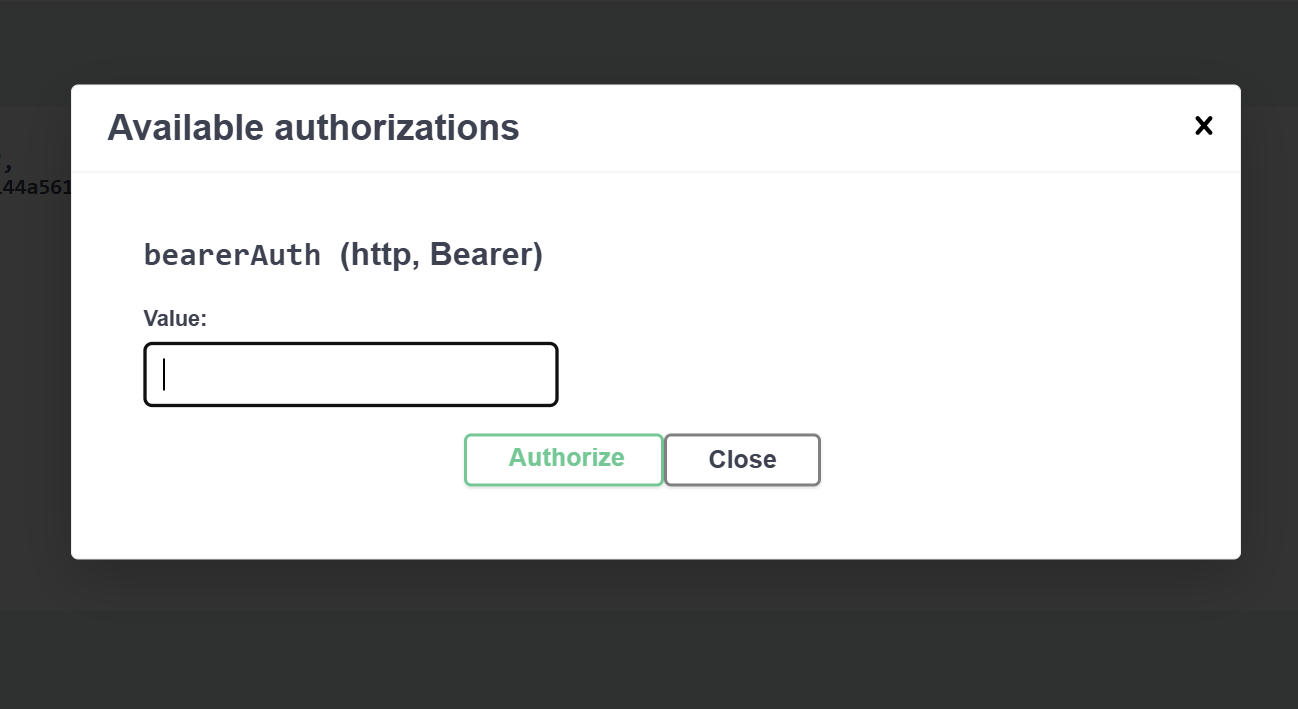
After successfully authorizing the consent in the Al Tareq Sandbox Model Bank, you’ll be redirected back to your application with an authorization code included in the callback URL. You can now exchange the code for an access token by authorizing and making a POST request to the following endpoint: /token/authorization-code ConsentCreate with the code returned in the redirect back from the Model Bank:
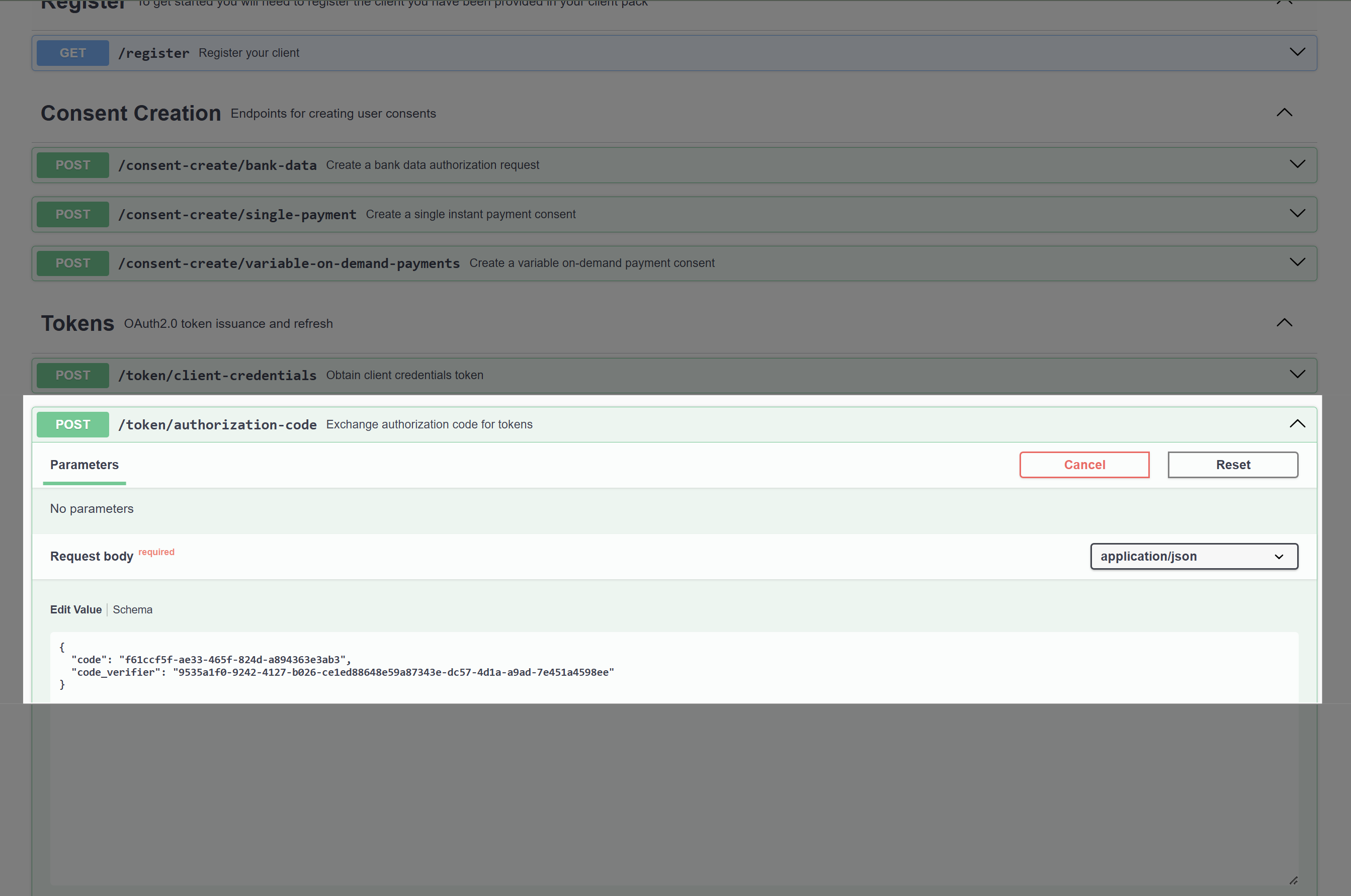
💡 Tip: Example of code code=4c5d6295-ff1b-4d13-a232-1eebacec9a0c
and the code_verifier returned when you created the consent. If you have done this sucessfully you will receive a JSON response similar to the following:
{
  "access_token": "0cd6e8ef-bbb6-44e3-911b-7ad0e5a20780",
  "expires_in": 600,
  "token_type": "Bearer",
  "scope": "payments openid",
  "state": "99a07ac8-8943-4923-8d2b-c1a2318469db",
  "authorization_details": [
    { ... }
  ],
  "grant_id": "881118d2-e98e-4762-9fc1-a9f7f272b45b",
  "id_token": "eyJhbGciOiJQUzI1NiIsImtpZCI6..."
}

Step 4 – Creating the Payment

Now that you have the access token the only thing that is left is to initate the payment by making a POST request to the following endpoint: /open-finance/payment/v1.2/payments authorize_endpoint enter_access_token with the payment_amount used, and the consent_id returned, when you created the consent. Behind the scenes, this request triggers Create Payment (POST /payments) to the Al Tareq Sandbox Model Bank to create the payment.

Payment Response

If you have successfully made the payment, you will receive a 201 Created response with a JWT, for example:
eyJhbGciOiJQUzI1NiIsImtpZCI6IkxTUXhZc0thR2RzMk9lZS1pR01jYmVLd3c0SXplNXo4bG10YWhJMDRHLTQifQ.eyJtZXNzYWdlIjp7IkRhdGEiOnsiQ29uc2VudElkIjoiNzllOGEyMDktOWRlNS00MTQ2LWI3NjMtNjc2NGI4YWJmYmM3IiwiQ3JlYXRpb25EYXRlVGltZSI6IjIwMjUtMTAtMTBUMTU6MDI6MzYuNjgyWiIsIkluc3RydWN0aW9uIjp7IkFtb3VudCI6eyJBbW91bnQiOiIxMDAuMDAiLCJDdXJyZW5jeSI6IkFFRCJ9fSwiUGF5bWVudFB1cnBvc2VDb2RlIjoiQUNNIiwiU3RhdHVzIjoiUGVuZGluZyIsIlBheW1lbnRUcmFuc2FjdGlvbklkIjoiN2ViOTFlMTctNmE5YS00NGMyLWJiNjktY2IwMjcxOWZkMjFiIiwiUGF5bWVudElkIjoiNDVhMzEzNWEzZDIzNGMzN2E5NmUwMjFjYjE4ZGUxZDAiLCJTdGF0dXNVcGRhdGVEYXRlVGltZSI6IjIwMjUtMTAtMTBUMTU6MDI6MzYuNjgyWiIsIkNoYXJnZXMiOlt7IkNoYXJnZUJlYXJlciI6IkJvcm5lQnlDcmVkaXRvciIsIkFtb3VudCI6eyJBbW91bnQiOiIxMDAuMDAiLCJDdXJyZW5jeSI6IkFFRCJ9LCJUeXBlIjoiVkFUIn1dLCJPcGVuRmluYW5jZUJpbGxpbmciOnsiVHlwZSI6Ik1lMk1lIiwiTWVyY2hhbnRJZCI6IjAxNDI4ZjkyLWI1NTItNGUxMy04In19LCJMaW5rcyI6eyJTZWxmIjoiaHR0cHM6Ly9yczEuYWx0YXJlcTEuc2FuZGJveC5hcGlodWIub3BlbmZpbmFuY2UuYWUvb3Blbi1maW5hbmNlL3BheW1lbnQvdjEuMi9wYXltZW50cy80NWEzMTM1YTNkMjM0YzM3YTk2ZTAyMWNiMThkZTFkMCIsIlJlbGF0ZWQiOiJodHRwczovL3JzMS5hbHRhcmVxMS5zYW5kYm94LmFwaWh1Yi5vcGVuZmluYW5jZS5hZS9vcGVuLWZpbmFuY2UvcGF5bWVudC92MS4yL3BheW1lbnQtY29uc2VudHMvNzllOGEyMDktOWRlNS00MTQ2LWI3NjMtNjc2NGI4YWJmYmM3In0sIk1ldGEiOnsicGFnZU51bWJlciI6MSwicGFnZVNpemUiOjAsInRvdGFsUmVjb3JkcyI6MCwidG90YWxQYWdlcyI6MX19LCJpc3MiOiJodHRwczovL2F1dGgxLmFsdGFyZXExLnNhbmRib3guYXBpaHViLm9wZW5maW5hbmNlLmFlIiwiZXhwIjoxNzYwMTA5MTU2Ljc4OCwiaWF0IjoxNzYwMTA4NTU2Ljc4OCwibmJmIjoxNzYwMTA4NTU2Ljc4OCwiYXVkIjoiaHR0cHM6Ly9ycC5zYW5kYm94LmRpcmVjdG9yeS5vcGVuZmluYW5jZS5hZS9vcGVuaWRfcmVseWluZ19wYXJ0eS83MDM5YTFjNS02N2U0LTQ0NTItOWQ1MS05Y2FlNzlkZjhjNGEifQ.A-4o60YWrpJekrU45bgUdq7AmpJZGAbHDybdC5GnMz5yCw-1HcYUaFfDbH9Qt57XP1sdoPVs3tLuGQChSQl_rR3FBjbsd6EmHNoH6VQGdhDnHwO1l1-hAzNfbBlFk6VTbHtvyA6BtiQJvfhL3LpfxVF8D6FRJO0ZKe64KC-8hd4nJxhpifwN9qsrRnh5Jj367xp_AsT1arnacwq5qrYPxPwdoFeq4rA--ROhKzAhKH6ADBI_ALNdebbeWn1Ae8BQvaWsgqq3XCivqDHHFBOmV6C0yNsZSl4Vbz-VHttteSwKi0Gm5OroT7gwU9Mbe2evMLF5wm-pUntsXwz1mTaf4g
and the decoded payload:
{
  "message": {
    "Data": {
      "ConsentId": "79e8a209-9de5-4146-b763-6764b8abfbc7",
      "CreationDateTime": "2025-10-10T15:02:36.682Z",
      "Instruction": {
        "Amount": {
          "Amount": "100.00",
          "Currency": "AED"
        }
      },
      "PaymentPurposeCode": "ACM",
      "Status": "Pending",
      "PaymentTransactionId": "7eb91e17-6a9a-44c2-bb69-cb02719fd21b",
      "PaymentId": "45a3135a3d234c37a96e021cb18de1d0",
      "StatusUpdateDateTime": "2025-10-10T15:02:36.682Z",
      "Charges": [
        {
          "ChargeBearer": "BorneByCreditor",
          "Amount": {
            "Amount": "100.00",
            "Currency": "AED"
          },
          "Type": "VAT"
        }
      ],
      "OpenFinanceBilling": {
        "Type": "Me2Me",
        "MerchantId": "01428f92-b552-4e13-8"
      }
    },
    "Links": {
      "Self": "https://rs1.altareq1.sandbox.apihub.openfinance.ae/open-finance/payment/v1.2/payments/45a3135a3d234c37a96e021cb18de1d0",
      "Related": "https://rs1.altareq1.sandbox.apihub.openfinance.ae/open-finance/payment/v1.2/payment-consents/79e8a209-9de5-4146-b763-6764b8abfbc7"
    },
    "Meta": {
      "pageNumber": 1,
      "pageSize": 0,
      "totalRecords": 0,
      "totalPages": 1
    }
  },
  "iss": "https://auth1.altareq1.sandbox.apihub.openfinance.ae",
  "exp": 1760109156.788,
  "iat": 1760108556.788,
  "nbf": 1760108556.788,
  "aud": "https://rp.sandbox.directory.openfinance.ae/openid_relying_party/7039a1c5-67e4-4452-9d51-9cae79df8c4a"
}
💡 Tip: That means your payment initiation was successful — the sandbox has created a pending payment and returned the full transaction details encoded in a JWT.